Repository navigation
How to use SPI in your driver #29
Description

This guide is separate in 2 blocks:
- Functions to be use in your driver.
- Implementation of the driver in your particular board.
Functions to be use in your driver
This guide is base on the MRF522 driver, which is in NuttX\drivers\contactless\mrf522.c
Configuration
Write
You can use two kinds of write: 1 Byte writing or write a block of data.
The difference between them is the function that send the data.
Writing a byte:
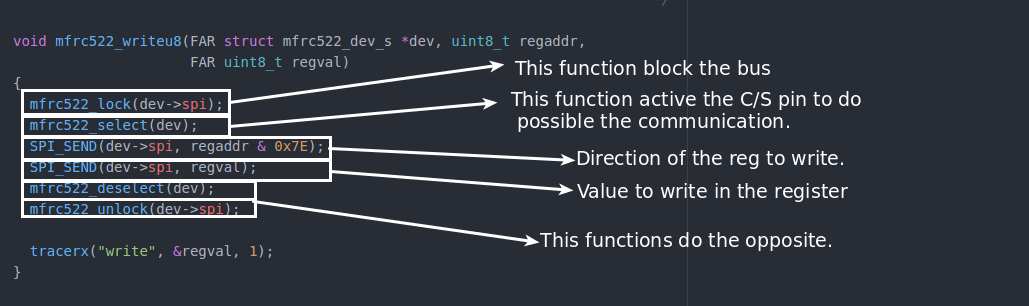
Writing a block of data:

Read
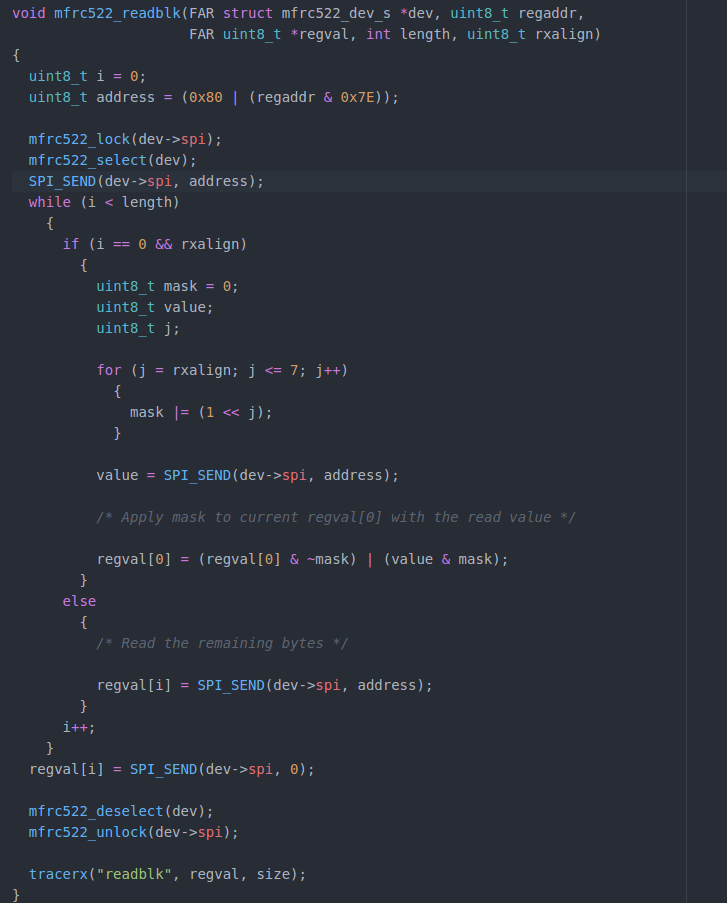
To read a register of the device, we have two different options: Read registers of 1 Byte or a block of bytes.
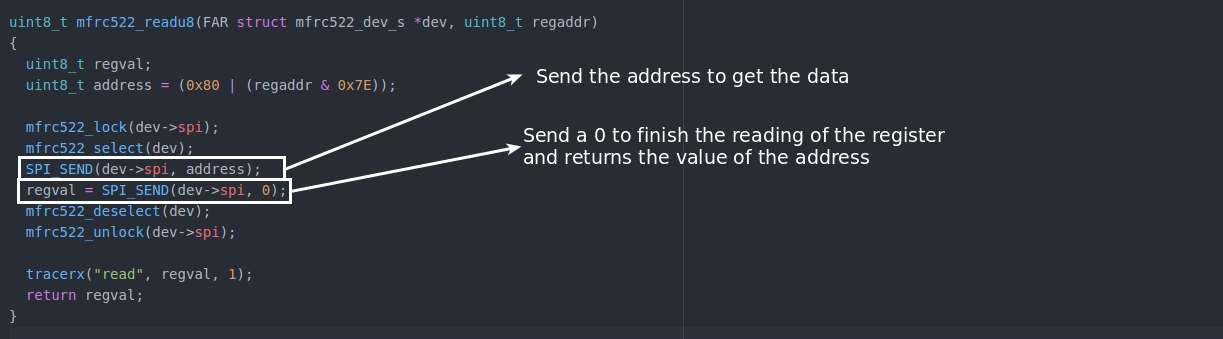
And to read a block of data, do the next operation:
Implementation of the driver in your particular board:
First we have the file stm32_mfrc522.c which is in NuttX\configs\olimex-stm32-e407\src. This file initialize the SPI bus and register the driver.
You must register this file in the same way as is describe in the developing guide of a driver.
In NuttX\configs\olimex-stm32-e407\include\board.h add the pin to be use as C\S like in the next image:

(In different microcontroller, the configuration could be different)
Then go to NuttX\configs\olimex-stm32-e407\src\stm32_spi.c and in the function void stm32_spidev_initialize(void)
Add the next lines to initialize the C\S pin:

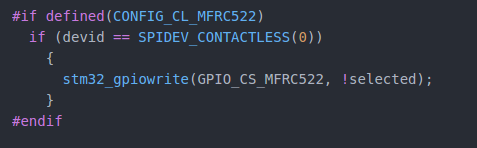
Finally in the function void stm32_spi1select(FAR struct spi_dev_s *dev, uint32_t devid, bool selected)
Add the next lines to use that pin.
If the actuator/sensor have interruption pin, and it's implemented in the driver, go to: NuttX\configs\olimex-stm32-e407\src\olimex-stm32-e407.h and add the next definition:

Activity
vmayoral commentedon May 30, 2018
Very good tutorial @jfm92!
jfm92 commentedon May 30, 2018
Thank you @vmayoral !